



Until now, paying by card meant finding a POS. ScanPay takes cards beyond the terminal: your customer scans any merchant’s QR in your app and pays from any Instacard or any BALANCE account, splitting one payment across several when one is not enough, or with another bank’s card through the online payment gateway. A small merchant who cannot afford a POS now takes card and account payments with nothing more than a QR.
Unified Financial Operating System for Banks

 ScanPayPay by QR
Card Payments on a QR, From Your App
- 01
Card payments without a POS
A small merchant who cannot afford a POS shows their Accepto QR, and still takes card payments.
- 02
The issuing side of the QR
Accepto gives the merchant the QR on the acquiring side. ScanPay lets your customer pay it from your app, on the issuing side.
- 03
Any Instacard
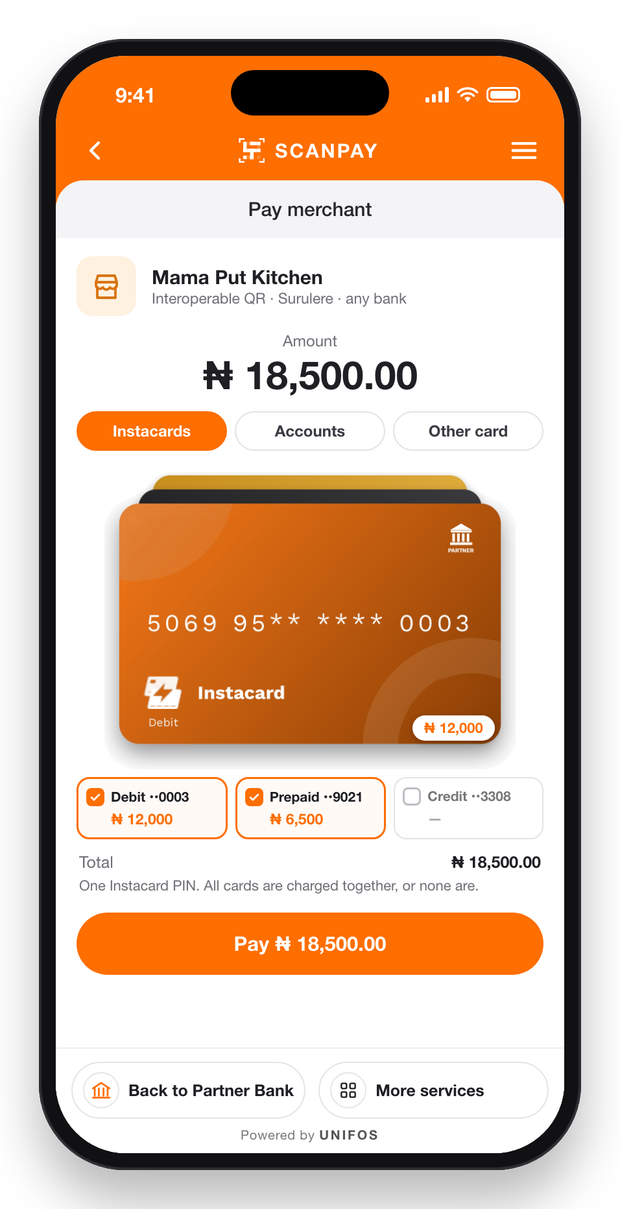
Paid as card present, validated with the card’s PIN, and split across several Instacards if needed.
- 04
Any BALANCE account
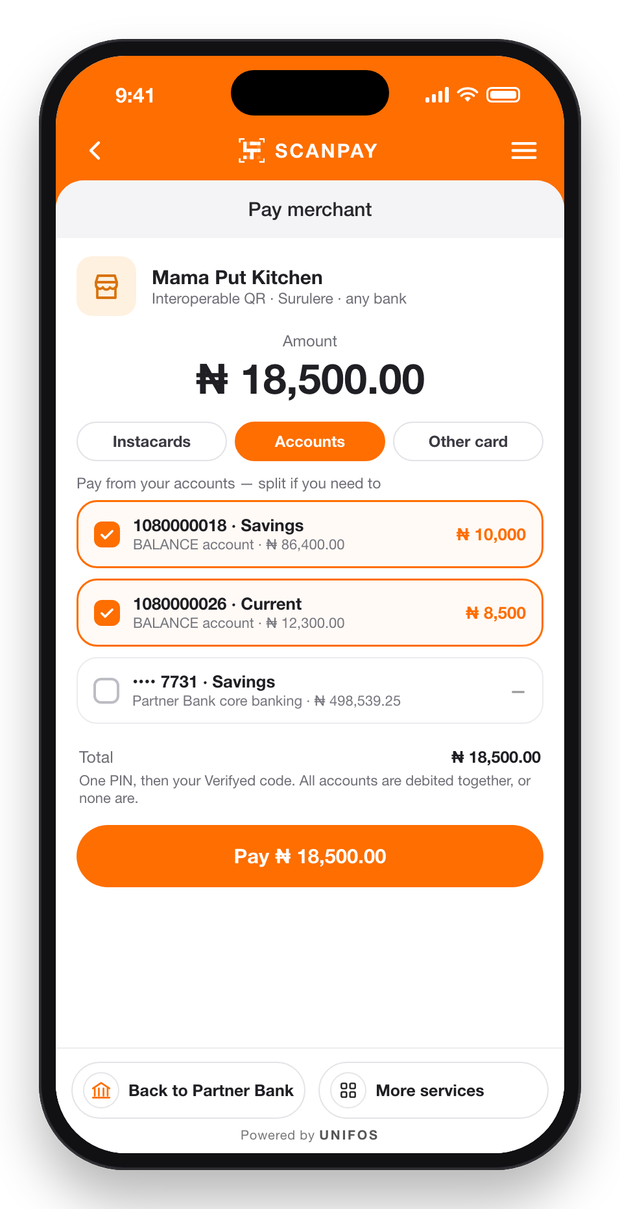
Paid digitally, PIN then Verifyed code, and split across several accounts if needed.
- 05
Any other card
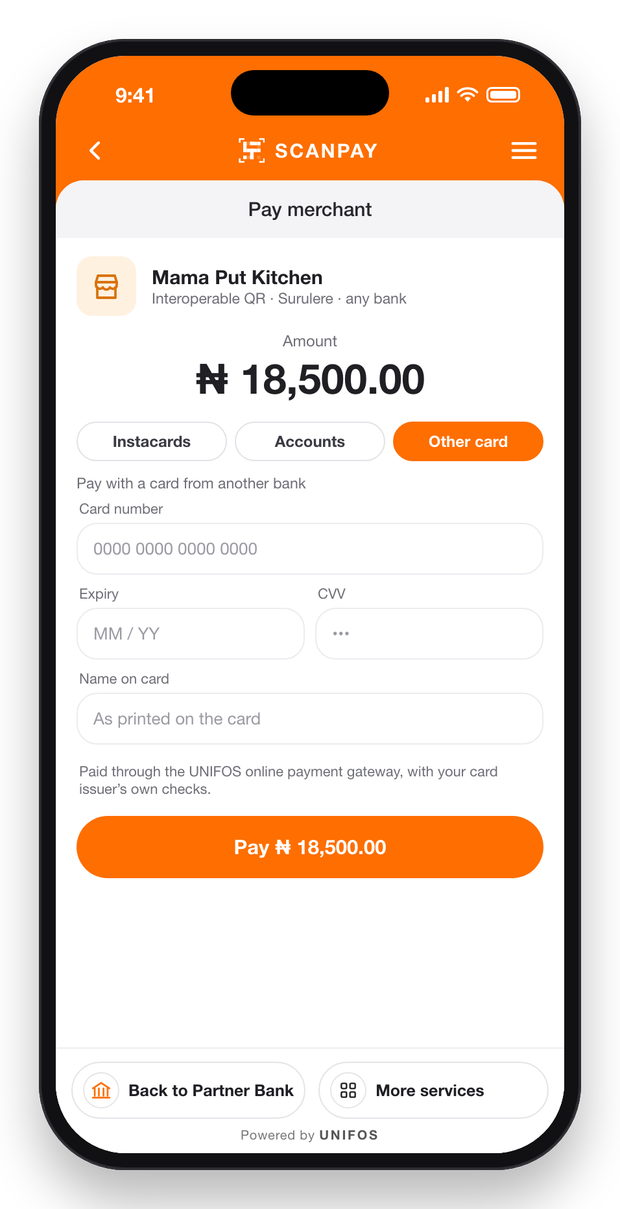
A card from another bank pays through the online payment gateway.
Cards on Any Interoperable QR, Even Where There Is No POS
Card Payments Without a POS
Static QR Code
Dynamic QR Code
Split Across Instacards or BALANCE Accounts
Instacard, BALANCE Account or Another Bank’s Card
Card PIN, or PIN and Verifyed Code
Scan Once, Pay From Cards and Accounts
After the scan, the customer pays from your bank’s Instacards or accounts, splitting one payment across several when one is not enough, or with a card from any other bank, partner or not. Each choice runs on its own rail.
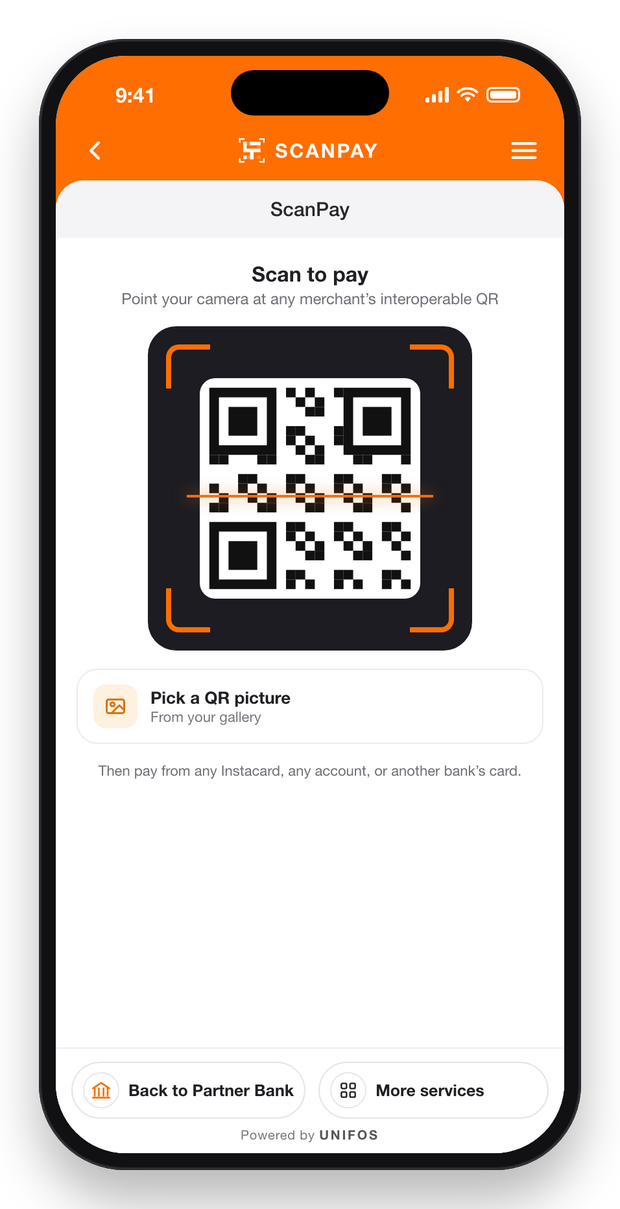
Scan any QR
With the camera, or a QR picture from the gallery.
Split across Instacards
Your bank’s Instacards, paid as card present with one Instacard PIN.
Split across accounts
Your bank’s accounts, paid digitally: one PIN, then the Verifyed code.
Any bank’s card, partner or not
Cards from any bank, even banks that are not UNIFOS partners, pay through the UNIFOS online payment gateway.
Any merchant’s QR
Merchants of any bank, through interoperable QR.
All or nothing
Every card or account in a split is charged together, or none is.
Receipts for both
Customer and merchant see the receipt at once.
Instant Payments with Static QR Codes
Secure and Fast Payments with Dynamic QR Codes
Online
Checkout That Is ScanPay
On a merchant’s website or app, the UNIFOS payment gateway checkout is ScanPay. Your customers already know every step.
The same screens
Instacards, BALANCE accounts, other cards, the PIN, the Verifyed code and the receipt look exactly as they do in ScanPay.
A QR tab
A dynamic interoperable QR code for this merchant and amount, payable from any banking app.
Receipt on the checkout
The merchant’s page shows success the moment the payment is approved.
Web and mobile SDKs
Merchants add the checkout to their website or app in one integration.
Partner portal
Switch It On, Choose the Features, See Every Payment
Your team switches ScanPay on as a module on the Partner portal, chooses its features and follows every payment.
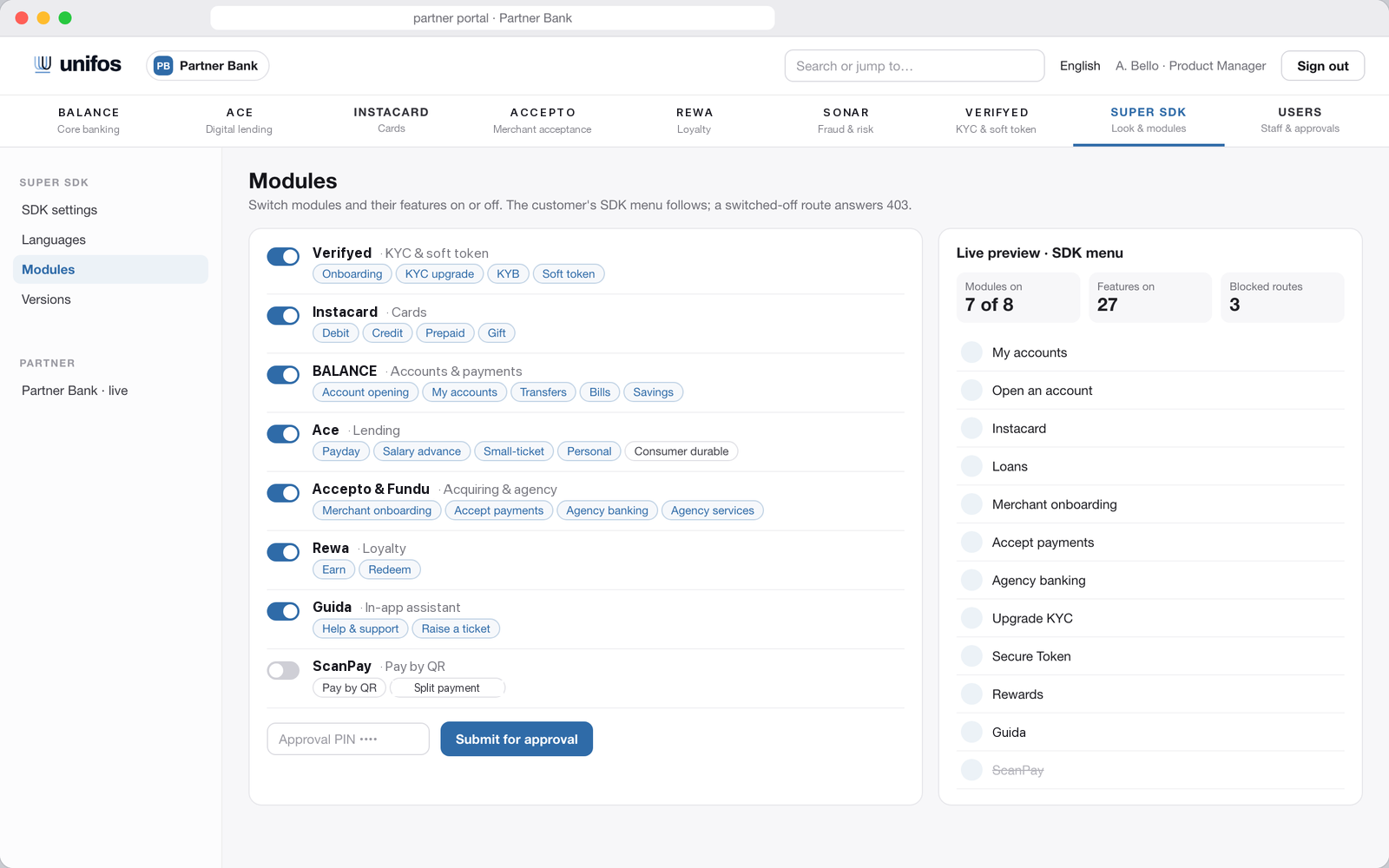
Module by module
Switch ScanPay on and the entry appears in your customers’ menu.
Your features
Choose which ways to pay are on: Instacard, BALANCE accounts and other cards.
Every payment in view
ScanPay payments appear in transaction history with route and state.
Maker-checker and portal PIN
Every change waits for a second approver, and each request is signed with the UNIFOS portal PIN, before it goes live.
Lasting Value for Banks Across Africa
Small merchants with no POS take card payments on their QR, paid by your customers from your app.
Customers split one payment across several Instacards or accounts, so a sale goes through even when one balance is short.
Customers scan with the camera or pick a QR picture from their gallery, with no card or cash needed.
Explore Other Products

- BALANCE · Digital Banking
- Digital and business accounts
- Credit card and prepaid card accounts
- Loan accounts
- Reward points and redemption accounts

- Accepto · Merchant Acceptance
- SoftPOS for contactless payments
- POS terminals
- Payment links and online checkout
- Digital business accounts for settlement

- Instacard · Virtual & Universal Cards
- Virtual and physical card issuance
- Debit, credit, prepaid and gift cards
- Universal card
- Dynamic CVV for online payments
- Contactless payments with virtual cards

- Ace · AI Credit Exchange
- Three-way underwriting with an AI Checker
- Loan and credit card origination
- Portfolio management
- Collections and repayments

- Fundu · Agency Banking
- Cash deposits and withdrawals
- Bills, airtime and data
- Universal card pick-up
- Verified agents only

- Verifyed · KYC & Soft Token
- KYC management
- Liveness detection and face match
- BVN, NIN and ID verification
- Business and address verification
- Soft token issuance for 2FA

- Rewa · Loyalty Management
- Customised reward programmes
- Reward points and redemption accounts
- Points, cashback and tiers

- Guida · In-App Assistant
- Understands requests in multiple languages
- Guides customers through every product
- Tickets for disputes, tracked to resolution
Frequently Asked Questions
The merchant shows a QR code, static (printed) or dynamic (generated for one sale) by their acquiring app, such as Accepto. Your customer opens ScanPay in your app, scans it, picks how to pay and confirms.
Launch the Future First
Launching a digital bank? Adding products to your app? Get your own mobile bank in your brand, or the UNIFOS Super SDK inside your app. Tomorrow’s banking, live today. Launch in weeks, on a revenue share.